
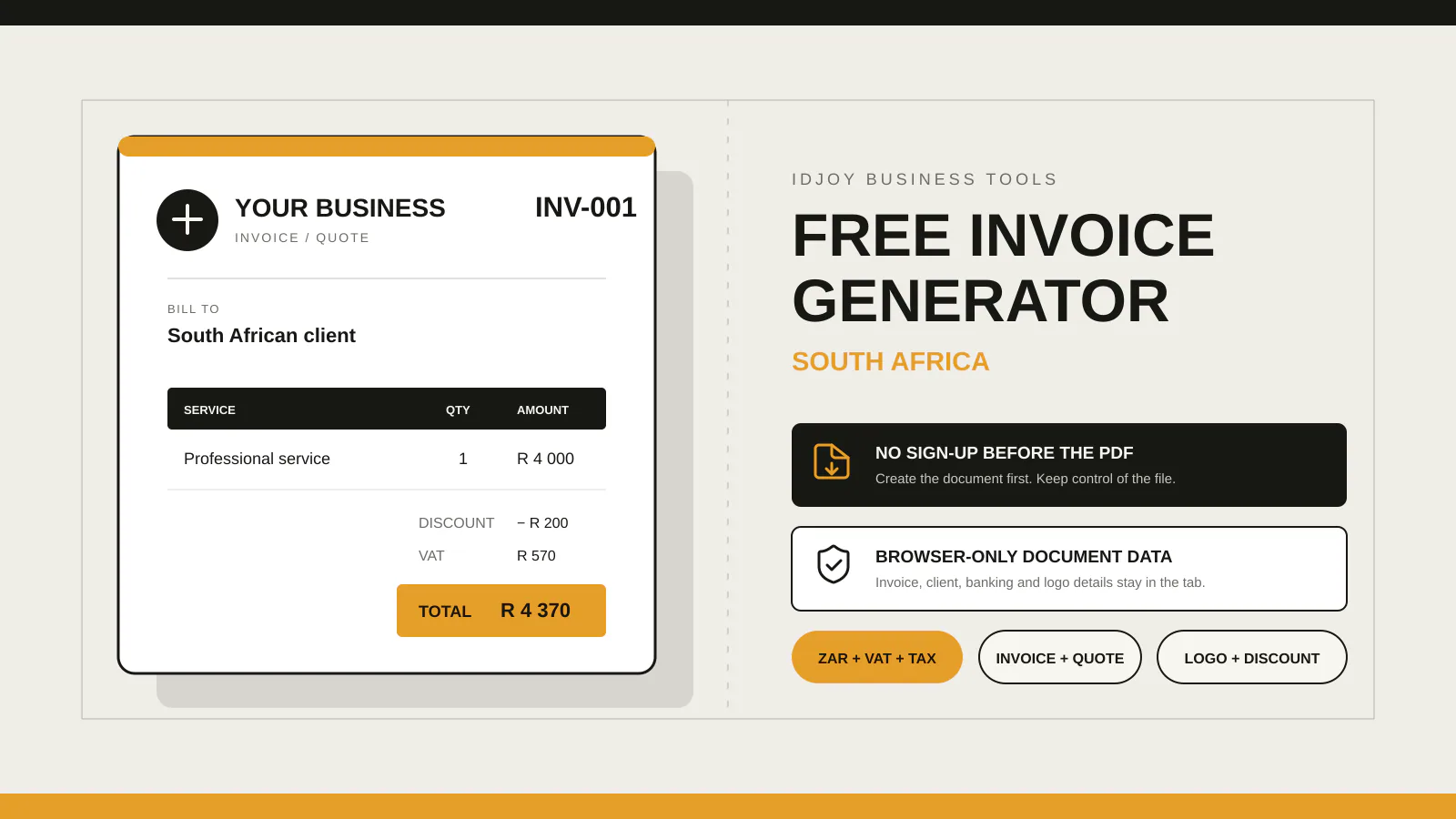
Use a free invoice generator when you need a PDF without an account. IDJoy creates invoices and quotes in the browser with ZAR, VAT or tax fields, branding and banking details. Guest documents stay in the tab; some ordinary ZAR invoices can be copied to a workspace after sign-in and confirmation. Use invoicing software when you need client history, reminders or bookkeeping.
A free invoice generator and invoicing software solve different jobs. One creates a document. The other can remember clients, track payments and connect invoices to bookkeeping.
If you are comparing invoice tools in South Africa, decide whether you need one PDF or an ongoing billing record. The word “free” alone will not tell you whether a product needs signup, limits document volume or stores client details.
Updated 5 November 2026: I rechecked plan prices and limits. Xero’s Starter rate is now R485 per month after its 1 November price change; provider pages may also show introductory offers and VAT-inclusive prices. Confirm the ongoing price and included features on the linked page before signing up.
Quick answer: generator or invoicing software?
Use the IDJoy free invoice generator when you need an invoice or quote PDF without creating an account. Add your business and client details, review the A4 preview, then save the PDF from your browser.
Choose an invoicing account when you send repeat invoices and want saved clients, payment status, reminders or payment links. Choose accounting software when invoices need to connect to your books, bank reconciliation, tax returns or financial reports.
South African invoice tools compared
I checked providers’ product and pricing pages on 5 November 2026. The table records features and prices each provider publishes. I did not create paid accounts or independently test each paid plan. Prices, promotions and limits can change, so check the linked provider page before you sign up.
IDJoy publishes this comparison and owns the IDJoy guest generator. The IDJoy workflow details below are first-party; provider features and prices come from the linked public pages.
| Tool | PDF without account | Saved records and workflow | Published price (different tiers) | Fits when you need |
|---|---|---|---|---|
| IDJoy guest generator | Yes. Create an invoice or quote in the browser. | Guest PDFs need no account. Some ordinary ZAR invoices can be copied to the workspace; see the requirements below. | Free | A one-off invoice or quote PDF. |
| Illumi | Yes. Its public generator offers a no-signup PDF route. | Illumi describes a free plan with saved invoices, clients and expenses. Pro adds recurring invoices, payment integration and invoice tracking. | Free plan; Pro R20 per month | A free invoice workflow with recurring invoices and payment features on Pro. |
| Rebill | Yes. Its generator is available without an account. | Its Free account plan includes up to 10 invoices and 5 clients per month. Premium adds VAT, payments, recurring invoices and reminders. | Free generator and Free plan; Premium R99 per month | A local invoicing workflow with optional payment and WhatsApp features. |
| FreeInvoiceGen | Yes. Guests can create and download invoices, quotes and receipts. | The provider says an account adds invoice history, draft editing, logo branding and email routing. The site is advertisement-supported. | Free, advertisement-supported | Guest documents plus optional account-based history and email features. |
| Zoho Invoice | It offers a separate free generator. The saved invoicing product needs an account. | Zoho lists saved invoices, clients, reminders, expenses and a customer portal. Its South African free plan lists up to 500 invoices a year and 2 users. | Free | Free account-based invoicing with a published annual document limit. |
| Sage Accounting | Plan signup is required for the accounting product. | Start includes invoicing and tracking what customers owe. Standard adds bookkeeping and VAT-return features. | Start from R270 per month including VAT; 30-day trial listed | Invoices inside a broader accounting system. |
| QuickBooks Online | QuickBooks also publishes a separate free invoice generator. | South African Online plans include invoicing, VAT tracking and bank connections. Plan access requires an account. | Paid plans; QuickBooks lists VAT-inclusive pricing, a 30-day trial and time-limited offers. Check its pricing page for the current rate. | Invoicing linked to accounting, bank feeds and reports. |
| Xero Starter | Plan signup is required for the accounting product. | Starter includes quotes and up to 20 invoices, alongside bank reconciliation and reports. | R485 per month including VAT. The pricing page currently shows a qualifying 80% discount for the first three months, then the regular rate. | Accounting and reconciliation for a small invoice volume. |
The price column includes different product types: guest PDF tools, free account tiers, and paid invoicing or accounting plans. Their prices are not like-for-like. Check which tier supplies the workflow you need, along with its recurring rate, VAT treatment, promotion terms and limits. The table does not name one overall winner.
What “free invoice software” can mean
A free tool may offer a PDF generator, a limited account, a free trial or an advertisement-supported service. Those options do not provide the same workflow.
Before you choose, check:
- Whether you can download the first PDF without signing up.
- Whether a free account has monthly or annual invoice limits.
- Whether VAT calculations, reminders or payment links require a paid plan.
- Whether the provider stores client details and invoice history.
- Whether the software handles quotes as well as invoices.
- Whether the product connects to bookkeeping or only creates documents.
A guest generator suits occasional billing when you already store client and payment records somewhere else. An account earns its place when it saves repeat data or tracks work after you send the PDF.
How IDJoy handles a guest invoice
The guest builder creates invoices and quotes in the browser. It supports ZAR, other currencies, line items, VAT or tax, discounts, business and client details, banking information, notes, terms, logos and optional accreditation details. You can review the document in an A4 preview and save it as a PDF. If you bill a client abroad, see our guide to invoicing overseas clients from South Africa, including the difference between invoice currency and VAT treatment.
The guest document stays in the current browser tab. Reloading or closing the page clears it. IDJoy does not upload the guest invoice just to create the PDF.
The optional handoff is for a standard invoice in South African rand. Add your business name, client name, invoice number and issue date, then include 1–100 line items. Each line needs a description, positive quantity and unit price. Quotes, other currencies, a supplier VAT number, VAT or other tax, banking details and uploaded logos cannot be copied. Sign in as the owner of an IDJoy workspace that lets you add invoices. If the invoice number or business details conflict with information already saved, IDJoy may not be able to add the copy.
After you review the confirmation panel and select Continue to workspace, IDJoy holds the eligible details in the same browser tab for up to 30 minutes. Sign in to the IDJoy invoice workspace, review the copy and confirm the save. If the temporary copy expires, return to the guest generator and start a fresh handoff. The workspace copy uses the workspace invoice layout; download the guest PDF if you need excluded fields or its original styling.
Choose a tool by the work you do
You send the occasional invoice
A guest generator may be enough if you need an invoice PDF and track payments yourself. Compare the finished document, supported currencies and tax fields before you use a tool with client details.
You invoice repeat clients
An invoicing plan can save client records, keep a document history and show which invoices remain unpaid. Check its free limit and the price of the features you expect to use, such as recurring invoices, automatic reminders or payment links.
You need books and tax reports
Accounting software adds bookkeeping, bank feeds, reconciliation and reports. It also asks you to create and maintain an account. Sage, QuickBooks and Xero publish these broader features; Zoho Invoice offers saved invoicing and related business tools on its free plan.
You can also read our first invoice checklist for South African businesses and SARS tax-invoice checklist before you send a document.
SARS guidance for tax invoices
SARS publishes tax-invoice guidance and VAT references. Its tax-invoice webpage was last updated on 11 March 2021, while the SARS VAT guides page lists VAT 404 Issue 15 as updated on 17 December 2024. Check the latest SARS material for requirements that apply to your transaction.
IDJoy can calculate the fields you enter, but it cannot determine your VAT-vendor status or whether the entries cover every rule for a particular transaction. Read the SARS tax-invoice guidance and the SARS VAT guides page before issuing a tax invoice. When the tax treatment is unclear, ask a qualified tax professional.
Create an invoice or quote with IDJoy
- Open the free invoice generator.
- Choose Invoice or Quote, then enter the document number and dates.
- Add the business, client, line items, currency and any tax, discount, payment or branding details you need.
- Check the A4 preview, select Download PDF, then choose Save as PDF in your browser’s print window.
For a field-by-field walkthrough of the editor, read the IDJoy invoice generator guide.
The generator does not email the PDF for you. Attach the file to your own email, WhatsApp message or client portal.
Need a document now?
Create your invoice or quote and download the PDF.
No account is needed to create and download a guest PDF.
Create a free invoice or quote